


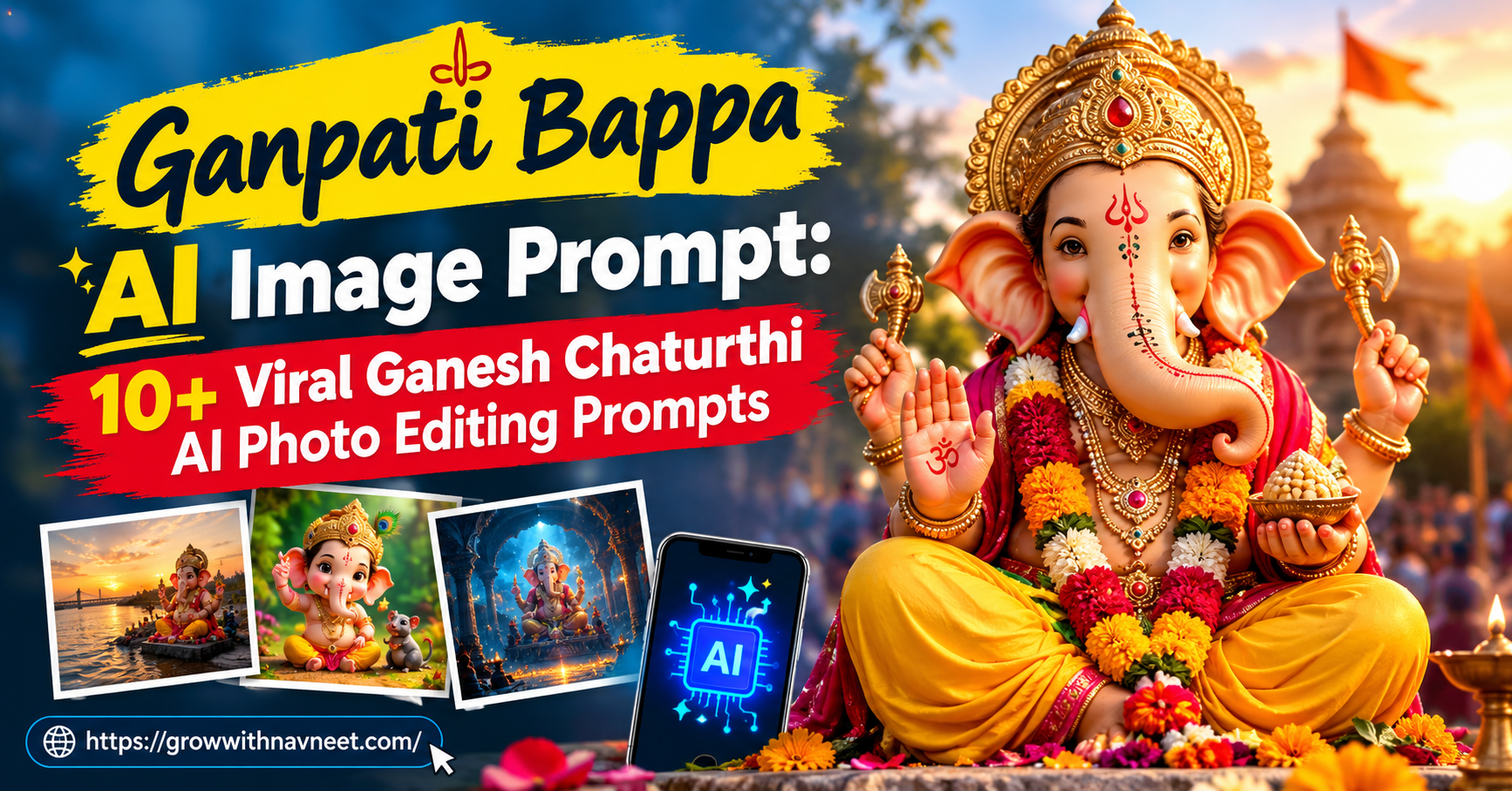
Ganesh Chaturthi is one of the most celebrated and joyful festivals in India. During this festival, devotees welcome Lord Ganesha into their homes and communities with beautiful decorations, flowers, lights, music, and prayers.
With the rise of AI image generation and photo editing tools, people can now create stunning and creative Ganesh Chaturthi-themed photographs without arranging a professional photoshoot.
Whether you want a traditional portrait with Lord Ganesha, a beautifully decorated Ganpati pandal background, or a cinematic devotional photograph, the right Ganpati Bappa AI Image Prompt can help you create an impressive result.
In this article, you will find multiple copy-and-paste-ready AI prompts that you can use with tools such as Google Gemini and other AI image generators.
What Is a Ganpati Bappa AI Image Prompt?
An AI image prompt is a detailed text instruction that tells an AI image generator what kind of image you want to create.
For example, you can upload your photograph and instruct the AI to place you beside a beautifully decorated Lord Ganesha idol, change your outfit to traditional Indian clothing, add flowers and diyas, and create cinematic lighting.
A detailed Ganpati Bappa AI Image Prompt gives the AI more information about the subject, background, lighting, clothing, composition, and overall appearance of the final image.
The more clearly you describe the desired scene, the easier it is for the AI tool to understand your creative idea.
Why Are Ganesh Chaturthi AI Photos Trending?
AI-generated festival photographs have become popular because they allow people to create unique social media content quickly.
Some popular uses include:
- Instagram posts
- Instagram Stories
- Facebook posts
- WhatsApp Status
- YouTube Shorts thumbnails
- Festival greeting posts
- Personal devotional portraits
- Ganesh Chaturthi promotional content
A good Ganpati Bappa AI Image Prompt can transform an ordinary portrait into a festive and visually appealing Ganesh Chaturthi photograph.
How to Create a Ganpati AI Photo
Creating an AI Ganpati photo is relatively simple.
Step 1: Choose a Clear Photo
Upload a high-quality photograph where your face is clearly visible. A front-facing or slightly angled portrait usually works well.
Step 2: Open an AI Image Generator
You can use an AI image-generation tool that supports image uploads and editing.
Step 3: Upload Your Photograph
Add your original photograph to the AI tool and make sure the image is clear and properly exposed.
Step 4: Add Your Prompt
Copy one of the prompts below and paste it into the AI tool.
Step 5: Generate and Review
Generate the image and carefully check the face, hands, clothing, background, and overall composition. If necessary, modify the prompt and generate another version.
10+ Ganpati Bappa AI Image Prompts
1. Close-Up Portrait With Lord Ganesha
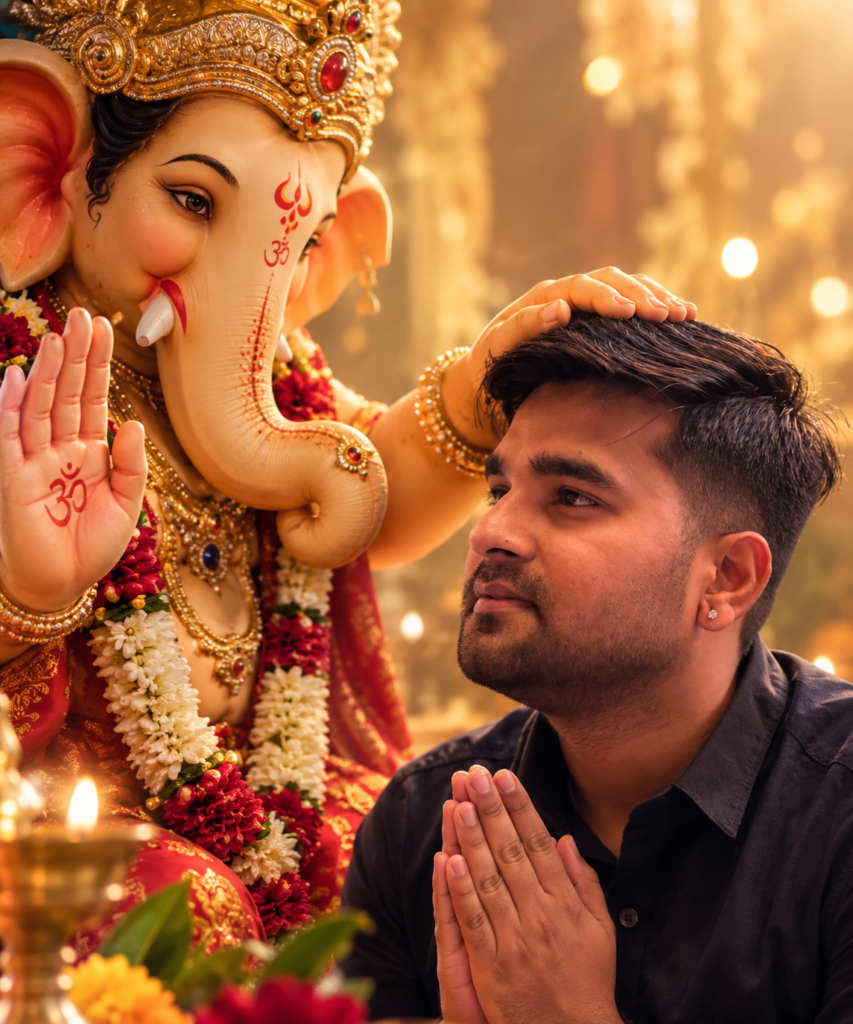
This prompt is perfect if you want a close-up devotional portrait with a beautifully decorated Ganpati idol.
Use the uploaded photo as the primary identity reference. Preserve the person's natural facial structure, skin tone, hairstyle, eyes, nose, lips, and recognizable facial features.

Create a photorealistic vertical 9:16 devotional portrait featuring the person standing beside a beautifully decorated Lord Ganesha idol.

Both the person's face and the Ganesha idol should be clearly visible. Add an elegant golden crown, traditional ornaments, fresh flowers, and beautiful festive decorations.

Use soft warm lighting, realistic skin texture, natural shadows, subtle cinematic depth of field, and professional portrait photography.

Keep the overall scene realistic, elegant, peaceful, and culturally respectful.

Negative prompt: distorted face, changed identity, plastic skin, unrealistic hands, extra fingers, cartoon effect, excessive glow, oversaturation, blur, text, watermark, or logo.
2. Boy With Ganpati Bappa
If you want to transform a male portrait into a traditional Ganesh Chaturthi photoshoot, try this Ganpati Bappa AI Image Prompt.
Transform the uploaded photograph into a realistic Ganesh Chaturthi photoshoot.

Preserve the person's recognizable facial identity, natural skin texture, hairstyle, facial proportions, and overall appearance.

Show the young Indian man standing beside a beautifully decorated Lord Ganesha idol. He is wearing an elegant traditional kurta with subtle festive patterns and a small tilak on his forehead.

Add marigold flowers, diyas, traditional decorations, warm festive lights, and a softly illuminated Ganesh Chaturthi background.

Use warm golden cinematic lighting, realistic shadows, shallow depth of field, and premium DSLR photography aesthetics.

Create a natural devotional expression and realistic interaction with the idol.

Negative prompt: changed face, distorted hands, extra fingers, artificial skin, cartoon, CGI, excessive HDR, blur, watermark, text, or logo.
3. Holding a Ganpati Idol
This concept creates a beautiful devotional portrait where the person is holding a small Lord Ganesha idol.
Create an ultra-realistic 4:5 vertical Ganesh Chaturthi portrait using the uploaded photograph as the identity reference.

Keep the person's face natural and recognizable without changing facial proportions.

Show the person sitting comfortably while holding a beautifully decorated Lord Ganesha idol with both hands.

The idol should feature an elegant golden crown, traditional jewelry, colorful clothing, and fresh flower garlands.

Use a warm festive background with soft golden lights, marigold flowers, glowing diyas, and subtle bokeh.

Make the scene look like a professional Indian festival photoshoot captured with an 85mm portrait lens.

Create photorealistic skin, realistic fabric, detailed jewelry, natural hands, cinematic depth, and premium image quality.

Negative prompt: face distortion, extra fingers, deformed hands, artificial skin, cartoon, unrealistic idol, excessive glow, oversaturation, blur, text, watermark, or logo.
4. Woman With Lord Ganesha
Women can create beautiful traditional Ganesh Chaturthi portraits using this devotional prompt.
Create a cinematic and photorealistic Ganesh Chaturthi portrait using the uploaded woman's photograph as the identity reference.

Preserve her natural facial features, skin tone, hairstyle, facial proportions, and recognizable appearance.

Show her wearing an elegant traditional Indian outfit with subtle jewelry and a small bindi.

Place a beautifully decorated Lord Ganesha idol beside her, surrounded by red, pink, orange, and white flowers.

Create a peaceful devotional environment with warm temple-style lighting, glowing diyas, and soft background bokeh.

Her expression should look calm, natural, and joyful.

Use realistic fabric details, natural skin texture, authentic jewelry reflections, cinematic depth of field, and professional photography quality.

Negative prompt: changed face, excessive beautification, plastic skin, distorted anatomy, extra fingers, unrealistic idol, cartoon, CGI, oversaturation, blur, text, or watermark.
5. Traditional Kurta Ganpati Portrait
For a premium traditional Indian look, this Ganpati Bappa AI Image Prompt can create a stylish festive portrait.
Create a premium 4:5 cinematic Ganesh Chaturthi portrait from the uploaded photograph.

Keep the person's original facial identity and natural appearance consistent.

Dress the person in an elegant traditional Indian kurta with detailed ethnic patterns and a subtle red tilak.

Show him standing beside a colorful Lord Ganesha idol decorated with a traditional crown, jewelry, flowers, and festive clothing.

Use a dark cinematic background with a soft warm red and golden glow behind the subject.

Add realistic temple-style lighting, subtle bokeh, natural shadows, and detailed textures.

The final image should look like a professional DSLR festival portrait with realistic skin, fabric, and metallic details.

Negative prompt: identity change, distorted face, plastic skin, extra fingers, deformed hands, unrealistic idol, cartoon, CGI, excessive glow, oversaturation, blur, text, or watermark.
6. Ganpati Pandal Background
Want your photograph to look like it was captured inside a beautifully decorated Ganpati pandal? Use this Ganpati Bappa AI Image Prompt.
Transform the uploaded portrait into a realistic Ganesh Chaturthi celebration scene.

Keep the person's face and recognizable identity natural and consistent.

Place the person inside a beautifully decorated Indian Ganpati pandal surrounded by marigold flowers, hanging lights, diyas, colorful decorations, and a large Lord Ganesha idol in the background.

Use a cinematic evening atmosphere with warm golden illumination and realistic depth.

Keep the subject sharp while the background has natural photographic bokeh.

Create realistic Indian festival photography with detailed textures, natural skin, realistic clothing, and professional DSLR depth of field.

Negative prompt: distorted face, fake crowd, unrealistic idol, extra limbs, cartoon, CGI, excessive saturation, blur, watermark, or text.
7. Divine Golden Ganpati Theme
If you prefer a premium and spiritual atmosphere, this Ganpati Bappa AI Image Prompt is a great option.
Create an elegant photorealistic devotional portrait using the uploaded photograph as the main identity reference.

Show the person standing peacefully beside Lord Ganesha in a beautifully decorated spiritual setting.

Use warm golden illumination, subtle rays of light, fresh flowers, traditional lamps, and elegant decorative elements.

Keep the atmosphere divine but realistic rather than overly artificial.

Preserve the person's natural face, realistic skin texture, hairstyle, and authentic expression.

Use cinematic photography, shallow depth of field, realistic shadows, detailed ornaments, and premium high-resolution image quality.

Negative prompt: fantasy cartoon, excessive glow, unrealistic face, distorted anatomy, artificial skin, oversaturation, blur, text, or watermark.
8. Ganpati Festival Family Portrait
You can also create a festive family photograph around Lord Ganesha.
Create a realistic family Ganesh Chaturthi celebration portrait using the uploaded photographs as identity references.

Preserve each person's natural facial identity, facial proportions, skin tone, and recognizable features.

Place the family together in front of a beautifully decorated Lord Ganesha idol inside a festive home environment.

Add marigold flower garlands, diyas, colorful decorations, traditional Indian elements, and warm ambient lighting.

Everyone should have natural expressions and realistic poses.

Create professional Indian family photography with cinematic depth of field, realistic skin texture, detailed clothing, natural shadows, and balanced composition.

Negative prompt: altered faces, duplicated people, extra fingers, distorted hands, unnatural poses, cartoon, CGI, blur, text, or watermark.
9. Cinematic Ganpati Night Portrait
For an Instagram-style cinematic festival photograph, try this Ganpati Bappa AI Image Prompt.
Transform the uploaded photograph into a cinematic nighttime Ganesh Chaturthi portrait.

Preserve the person's original facial identity and natural appearance.

Show the person standing near a beautifully illuminated Lord Ganesha idol during an evening celebration.

Add warm golden lights, glowing diyas, colorful bokeh, flower decorations, and subtle atmospheric lighting.

Use cinematic contrast, realistic skin texture, shallow depth of field, natural shadows, realistic reflections, and professional night photography aesthetics.

The image should look like a high-end festival photoshoot captured with a professional camera.

Negative prompt: changed identity, distorted face, unrealistic hands, extra fingers, excessive HDR, artificial skin, cartoon, CGI, blur, text, watermark, or logo.
10. Traditional Ganpati Celebration Scene
For a complete traditional festival environment, use this Ganpati Bappa AI Image Prompt.
Create a highly realistic traditional Indian Ganesh Chaturthi celebration scene using the uploaded photograph as the identity reference.

Preserve the person's face, hairstyle, skin tone, facial structure, and recognizable identity.

Show the person wearing elegant traditional Indian clothing while standing respectfully beside a beautifully decorated Lord Ganesha idol.

Add marigold garlands, diyas, rangoli, traditional lamps, flowers, festive decorations, and warm ambient lighting.

Create a joyful yet devotional atmosphere with realistic Indian cultural details.

Use professional photography, natural skin texture, realistic fabric, cinematic depth of field, balanced lighting, and high-resolution photorealistic details.

Negative prompt: face distortion, unrealistic anatomy, extra fingers, cartoon, CGI, plastic skin, oversaturation, excessive glow, blur, text, or watermark.
Tips for Getting Better AI Ganpati Photos
Using the right prompt is important, but your original photograph also has a major impact on the final result.
Use a High-Quality Photograph
Choose a clear and sharp photograph. Avoid extremely blurry or dark images.
Keep Your Face Visible
AI tools can generally preserve identity better when the face is clearly visible and not covered by sunglasses, hands, or other objects.
Choose the Correct Aspect Ratio
Use 4:5 for Instagram portrait posts and 9:16 for Instagram Stories, WhatsApp Status, and YouTube Shorts.
Give Specific Instructions
Instead of writing only “Create a Ganpati photo,” describe the outfit, background, lighting, pose, composition, and photography style.
Avoid Too Many Conflicting Instructions
An extremely complicated prompt can sometimes produce inconsistent results. Start with the main scene and add details gradually.
Best AI Keywords for Ganpati Photos
You can improve your prompts by combining suitable photography keywords such as:
- Photorealistic
- Ultra-realistic
- Cinematic lighting
- Natural skin texture
- Indian festival photography
- Warm golden lighting
- Professional DSLR photography
- Shallow depth of field
- Realistic fabric texture
- Detailed traditional ornaments
- Soft bokeh
- High-resolution details
Remember that adding more keywords does not always guarantee a better image. Use only the instructions that match the style you want.
Common AI Photo Editing Mistakes
Before posting your generated Ganesh Chaturthi image, always check the final result carefully.
Some common problems include:
- Facial identity may change slightly.
- Hands and fingers can sometimes look unnatural.
- Jewelry may have inconsistent details.
- Background objects may appear distorted.
- Excessive lighting can make the image look artificial.
- Text or unwanted objects may appear in the generated image.
If something looks wrong, modify the prompt and regenerate the image.
Best Formats for Social Media
Choose your image dimensions according to where you plan to publish the photo.
| Platform | Recommended Format |
|---|---|
| Instagram Post | 4:5 |
| Instagram Story | 9:16 |
| YouTube Shorts | 9:16 |
| WhatsApp Status | 9:16 |
| Facebook Post | 4:5 or 1:1 |
Using the right aspect ratio helps prevent important parts of your image from being cropped.
Ganesh Chaturthi Caption Ideas
After creating your AI-generated Ganpati photo, you can use a simple devotional caption such as:
Ganpati Bappa Morya! 🙏❤️
May Lord Ganesha bless your life with happiness, peace, and prosperity. 🙏
Mangal Murti Morya! 🌺
With Bappa’s blessings, every moment becomes special. ✨
Celebrating faith, devotion, and the divine blessings of Lord Ganesha. 🙏
Final Thoughts
AI image generation has made it easier to create creative and personalized festival photographs. With a clear photograph and a well-written Ganpati Bappa AI Image Prompt, you can create traditional portraits, cinematic festival scenes, decorated pandal backgrounds, family photographs, and devotional images.
The prompts in this article are designed to be easy to copy, paste, and customize. You can change the outfit, background, lighting, pose, aspect ratio, and photography style according to your requirements.
For the best results, always use a high-quality original photograph and carefully review the generated image for facial details, hands, clothing, and background elements.
This Ganesh Chaturthi, combine technology and creativity to create beautiful memories with the blessings of Lord Ganesha.
Ganpati Bappa Morya! 🙏🌺
